How to Use Limit Orders on CoW Swap
You know that feeling when you're watching a token price, waiting for it to hit the right number - refreshing, checking, refreshing again - only to miss the window because you stepped away for five minutes?
Limit orders fix that. And limit orders on CoW Swap fix it better than anywhere else in DeFi.
This guide walks you through exactly how to place a limit order on CoW Swap: what to set, what to expect, and how to make the most of features you won't find on other DEXs.
First: what is a limit order, and why would I use one?
A limit order is an instruction to trade a token - but only if the price reaches a level you specify.
Instead of swapping right now at whatever the market gives you, you set your terms in advance:
"Buy me 1 ETH, but only if the price drops to $2,800."
"Sell my LINK, but only if it hits $20."
If the price never gets there? The order simply expires. You don't pay anything. No harm done.
This makes limit orders perfect for:
-
Buying dips without having to stare at charts all day
-
Taking profits at a target price automatically
-
Dollar-cost averaging into a position over time
-
Large trades where you want price certainty, not just speed
If you want to go deeper on the concept first, check out Limit Orders Explained on the CoW learn hub.
What makes CoW Swap's limit orders different?
Before we get into the steps, it's worth knowing what you're working with - because CoW Swap's limit orders aren't like anyone else's.
-
They're gasless. You don't pay gas to place a limit order. The solver network covers execution costs by finding a slightly better price than your limit - and passing the rest back to you as surplus.
-
They're surplus-capturing. If the market moves better than your limit price, you don't just get your limit price - you get the better price. That upside belongs to you, not the protocol. So if you set a limit to buy ETH at $2,800 and it hits $2,750, you could end up buying at $2,750 instead. Free money.
-
They're partially fillable by default. Rather than waiting for the full order to fill in one go, CoW Swap fills your order gradually as liquidity becomes available. This means faster execution, more chances to find a Coincidence of Wants (peer-to-peer matching with zero LP fees), and better prices overall.
-
They last up to a year. Set it and genuinely forget it - orders can stay open for up to 12 months.
-
You can cancel for free. Off-chain cancellation costs nothing. No gas, no fees, no stress. (There's also an on-chain option if you need stronger guarantees - more on that below.)
None of this is cosmetic. It flows directly from how CoW Protocol works under the hood - intent-based trading, batch auctions, solver competition - all working in your favour.
Let’s look at a step for step for how to do all this.
Step-by-step: placing a limit order on CoW Swap
Step 1: Go to CoW Swap and open the limit orders tab
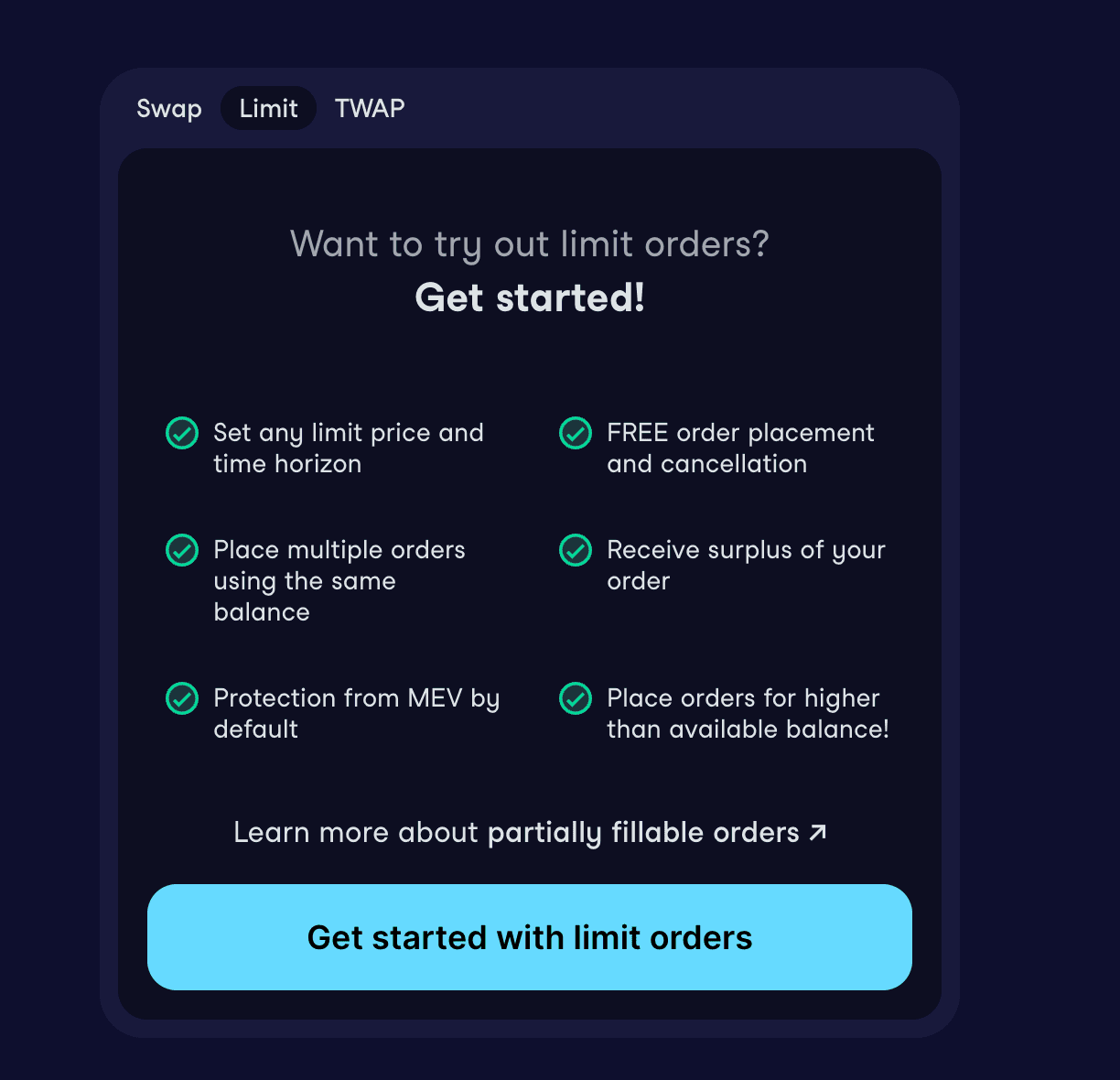 Head to swap.cow.fi. At the top of the trading panel, you'll see tabs for Swap, Limit, and TWAP. Click Limit.
Connect your wallet if you haven't already.
Step 2: Choose the tokens you want to trade
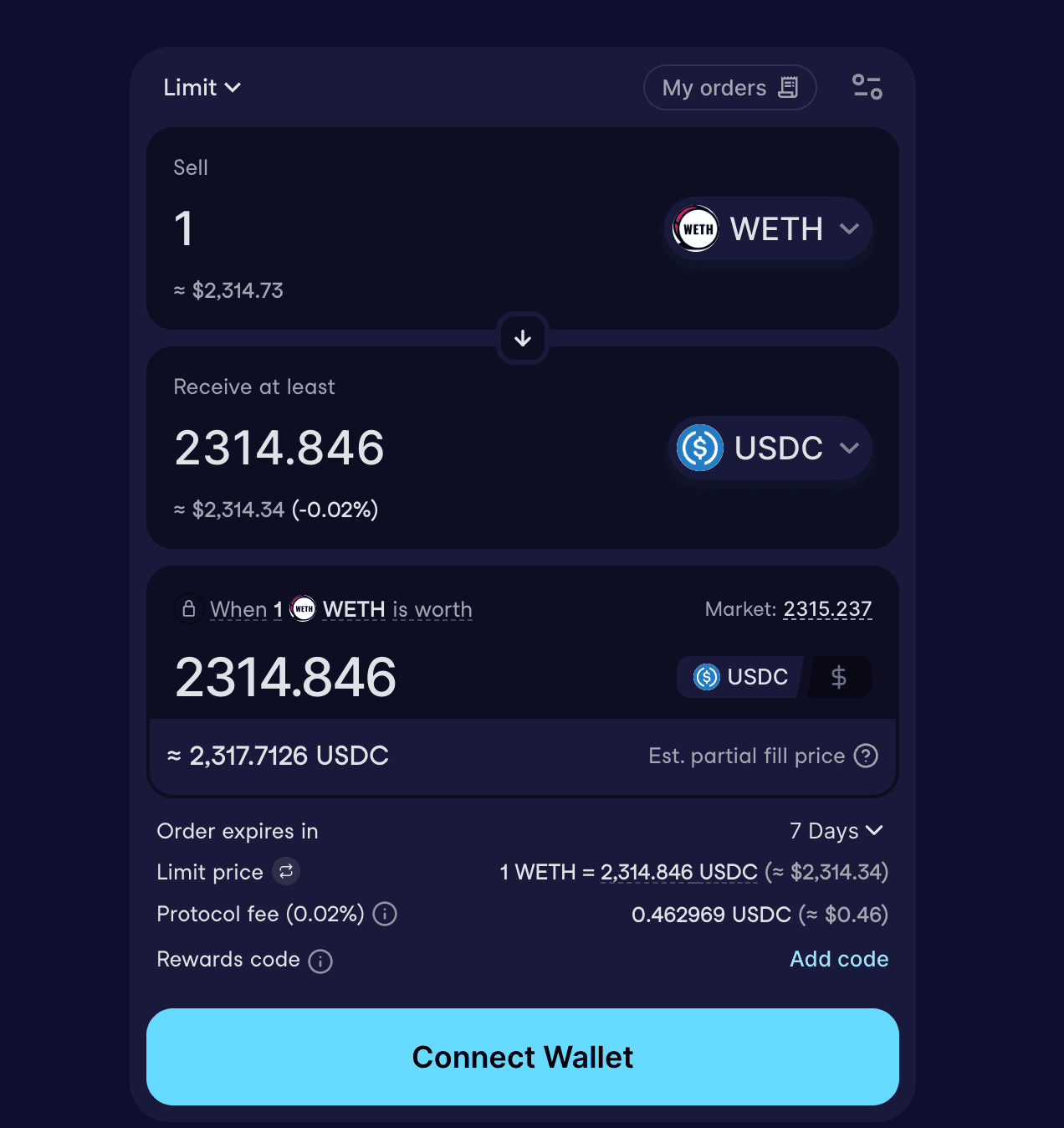 In the You sell field, select the token you're selling and enter the amount.
In the You buy field, select the token you want to receive.
You can flip between token-denominated and USD-denominated inputs - useful if you're thinking in dollar terms rather than token amounts.
Step 3: Set your limit price
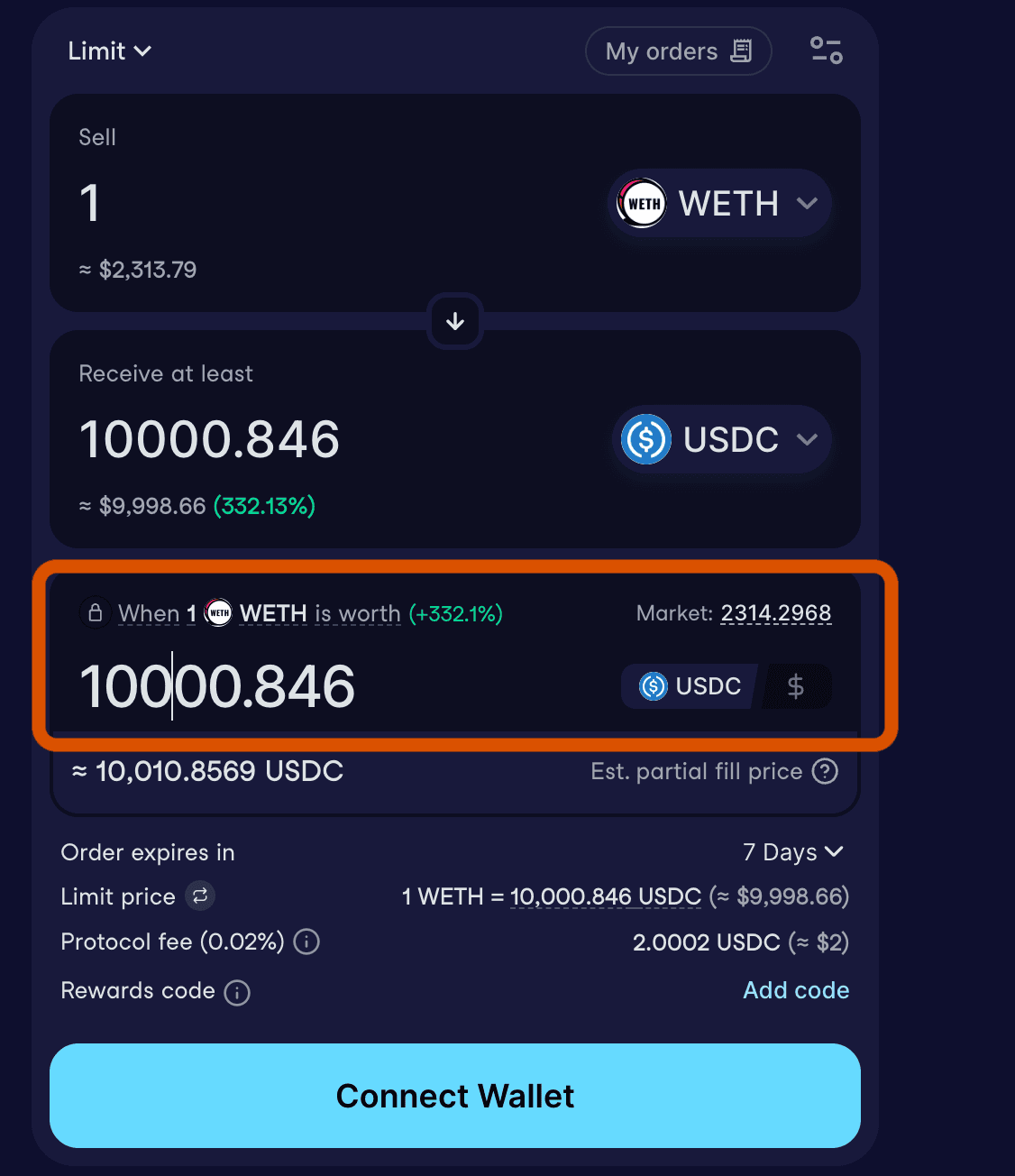
This is the key field. Enter the price at which you want your order to execute.
Buying? Set the maximum price you're willing to pay per token.
Selling? Set the minimum price you'll accept per token.
A few things to know here:
-
CoW Swap will show you the estimated fill price - which is slightly different from your limit price. Because solvers cover gas by finding a marginally better execution price, your order won't trigger at exactly your limit price. The fill price accounts for this, and is what you should use to gauge when your order will actually execute.
-
The UI has a traffic light indicator next to your order once it's live - green means you're close to execution, red means the price needs to move further. Hover over it for more detail.
-
You can toggle the price display between the base token and quote token direction if you want to flip how it's shown.
Step 4: Set your order duration
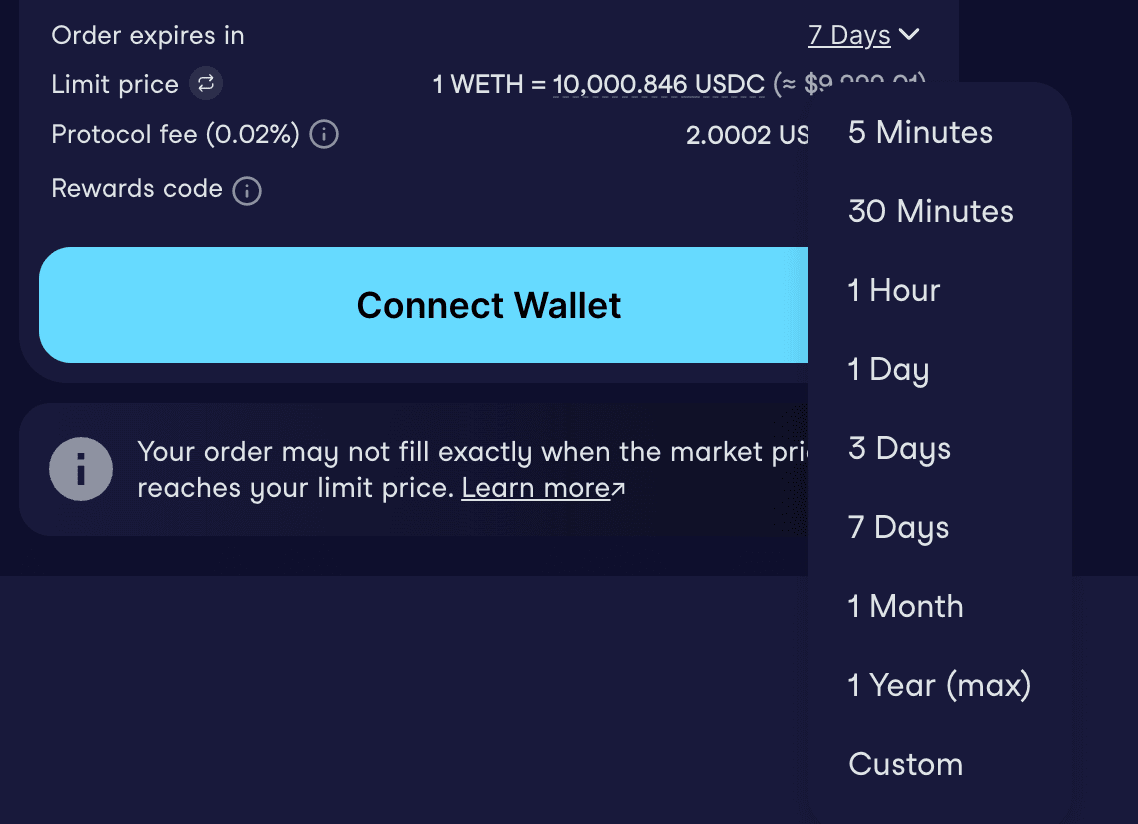
Choose how long you want the order to stay open - anywhere from 5 minutes to 1 year.
For most trading strategies, a few days to a few weeks is sensible. For longer-term targets (e.g. a price level you'd be happy to sell at any time this year), go longer.
Step 5: Choose fill or kill vs. partially fillable
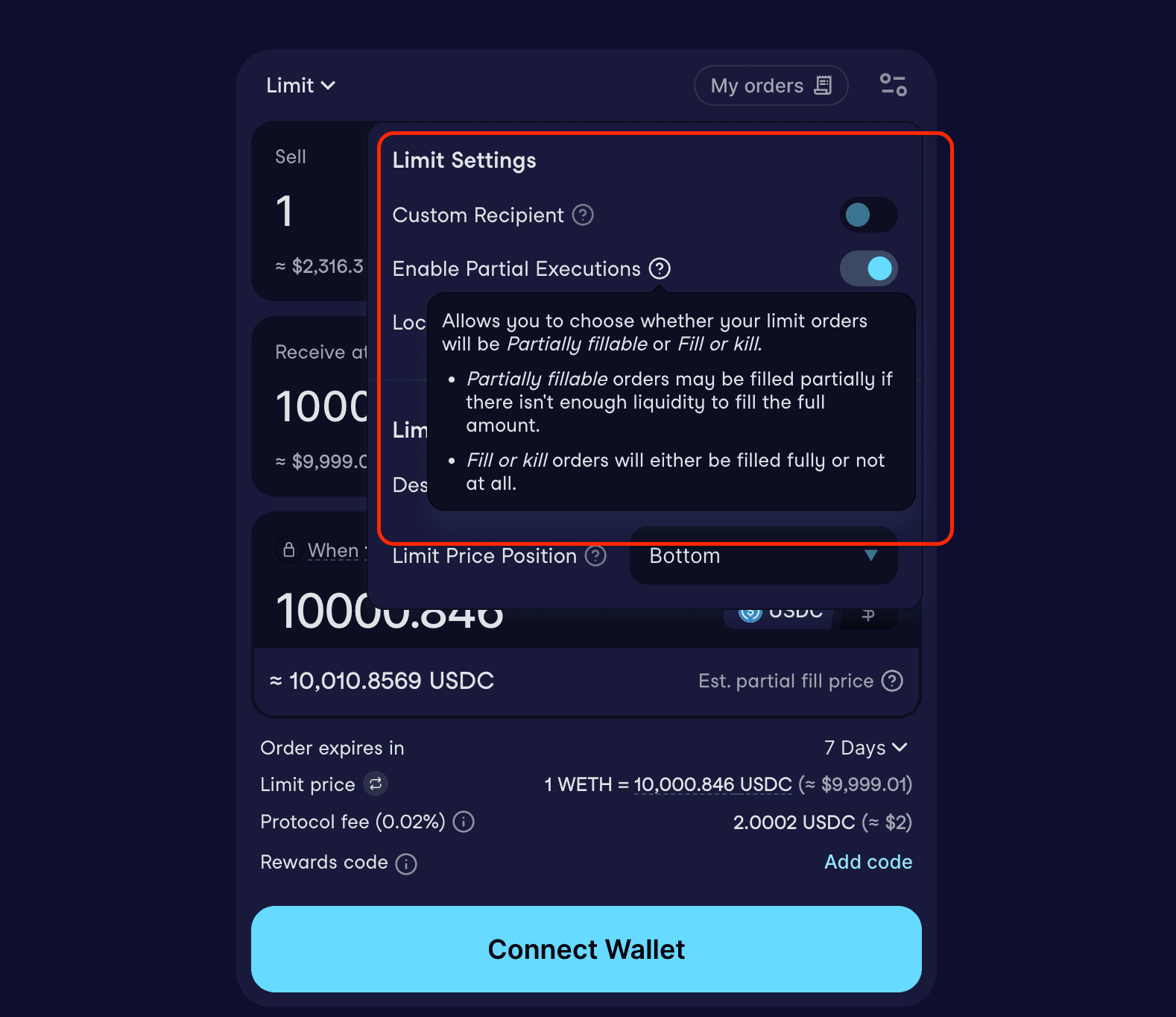 By default, your order is set to partially fillable - and we'd recommend keeping it that way for most use cases.
Here's why: a partially fillable order participates in every batch auction until it's fully filled. That means more chances to find peer-to-peer matches (which skip LP fees entirely), and better average execution across larger orders.
Fill or kill means the entire order must execute in one batch - or not at all. This is useful if you need certainty that the full amount executes simultaneously, but for most traders, partially fillable is the better default.
You can toggle this in the order panel settings.
Step 6: Review and sign
Click Review limit order. You'll see a summary of:
-
What you're selling and buying
-
Your limit price and estimated fill price
-
Order duration
-
Fill type (partial or fill-or-kill)
Everything looks good? Sign the order with your wallet. This is an off-chain signature - no gas required at this point.
If this is your first time trading a particular token on CoW Swap, you'll need to approve it first (a one-time on-chain transaction). After that, all subsequent limit orders for that token are free to place.
Tracking and managing your open orders
Once your order is live, it appears in the Open Orders panel on the right side of the screen.
For each order you can see:
-
Limit price - what you set
-
Executes at - the estimated fill price given current network conditions
-
Status - open, partially filled, filled, or expired
-
Fill progress - for partially fillable orders, you can see how much has been filled so far
To see the individual fills on a partially filled order, click View fills - this shows you every batch that has partially executed your order over time.
How to cancel a limit order
Changed your mind? No problem.
Off-chain cancellation is free and instant. Click the context menu on your order and select “Cancel order”, then confirm. This is the default option - it costs nothing and requires no transaction.
The one caveat: cancellation isn't quite instantaneous. There's a small window where the order could still be matched between the time you cancel and the time the cancellation is processed. This is rare, but worth knowing.
On-chain cancellation is also available if you want a stronger guarantee. This requires a gas transaction, but once confirmed, the order is definitively dead. Toggle the cancellation type in the cancel modal to switch between options.
A few strategies that work well with CoW Swap limit orders
-
Buying the dip - Set a buy limit below the current price. Your order sits open, participating in batch auctions continuously, until the price reaches your level (or better). You don't have to watch the charts.
-
Taking profit - Set a sell limit above the current price. When the market gets there, your order fills automatically - and if it overshoots, you capture the extra as surplus.
-
Large position entry - Use a partially fillable limit order to build into a large position gradually, rather than taking all the price impact at once. Each partial fill gets another chance to find a peer-to-peer match, reducing fees along the way.
-
Stablecoin arbitrage - Set a 1:1 limit order between two stablecoins (e.g. USDC → DAI). Since the order is surplus-capturing, it only executes when the price difference is enough to cover fees - and any additional spread becomes your profit. Worth noting: this only makes meaningful sense at larger trade sizes.
-
DAO treasury management - CoW Swap for DAOs goes into detail on this, but partially fillable limit orders are a powerful tool for buybacks, rebalances, and diversification - letting DAOs execute at target prices without the coordination overhead of timing a market order.
What happens if your order expires unfilled?
Nothing. No fees, no penalties, no tokens moved. Your funds stay exactly where they are.
You can simply place a new order if you still want the trade - or adjust your limit price to something the market is more likely to reach.
Want to go further?
Limit orders are just one of CoW Swap's order types. If you're managing a large position and want to smooth out price impact over time, TWAP orders let you split a trade into scheduled chunks. If you want a trade to fire automatically when certain on-chain conditions are met, Programmatic Orders let you code that logic directly into a smart contract.
And if you want to understand the engine behind all of it, How CoW Protocol Actually Works is the place to start.
Happy trading - and may your limits always be met 🐮
Sources & further reading